Can You Run High-End AI Without Buying a GPU?
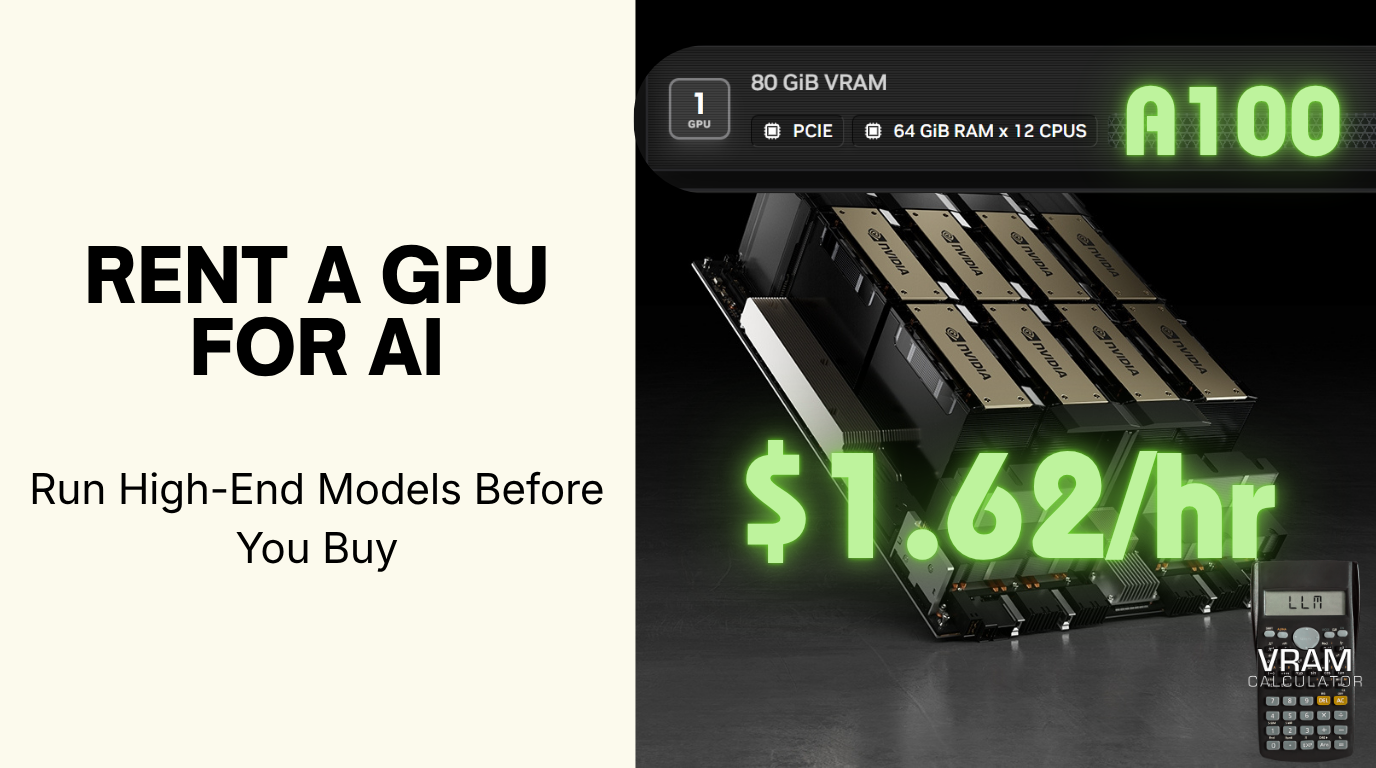
Yes. And it costs less than lunch. Running a 70-billion-parameter open-source model at home sounds like a five-figure hardware project, so most people never try. That belief is the single biggest reason capable developers stay on the sidelines of local AI. It is also wrong. As of July 2026, you can rent an 80GB data-center GPU (an NVIDIA A100, enough to run a 70B model comfortably) for about $1.62 an hour, fully configured, ready in minutes. The card that costs the price of a used car to own is yours by the hour for pocket change. This is the part almost nobody tells beginners: you can test the exact hardware before you spend a cent on owning it.
Here’s how it works, what it actually costs, and the part that decides everything: how to rent the right GPU instead of guessing.
The Myth: Local AI Has a High Entry Ticket
The story in most people’s heads goes like this: serious local AI means a $2,000 graphics card, or a $4,000 Mac Studio, or nothing. So they conclude it’s not for them, or they lurk for a year, or they stay locked into per-token cloud API bills that quietly add up.
Every part of that story is a decade out of date. The truth splits into two paths, and most people don’t know the second one exists:
- Small models already run on hardware you may own. An 8GB gaming card from 2018 runs modern 7-8B models. Our GPU checker shows exactly what your current card can handle, often more than you’d expect.
- Big models you can rent by the hour, before deciding to buy. This is the path this article is about, and it removes the entire “expensive gamble” problem.
The Part You Didn’t Know: NVIDIA Rents GPUs, It Doesn’t Only Sell Them
Most people think of NVIDIA as the company that sells the chips. But NVIDIA also runs a service, Brev, that lets you rent them by the hour, with the setup already done.
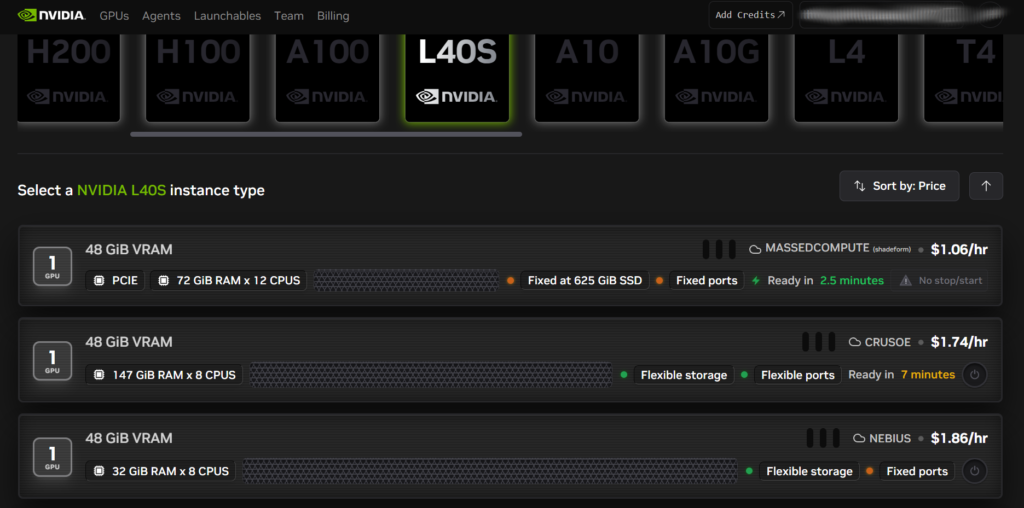
Brev is a front end that aggregates GPU instances across roughly 30 cloud providers (Crusoe, Nebius, Lambda, MassedCompute, Hyperstack and others), so you pick a card and it finds you an available one at a live price. Its “Launchables” are one-click, pre-configured environments: the software stack for running a model is already built, so you skip the part that stops most beginners cold. A snapshot of real listings observed on Brev in July 2026, cheapest host per card:
| Card | VRAM | From /hour |
|---|---|---|
| L40S | 48 GB | $1.06 |
| A100 | 80 GB | $1.62 |
| RTX PRO 6000 | 96 GB | $2.63 |
| H100 | 80 GB | $3.00 |
Same card can list at different prices across hosts. The L40S ran $1.06 (MassedCompute) to $1.86 (Nebius) the day this was captured, so you’re effectively price-shopping the whole market from one screen.
Brev is not the only option, and not always the cheapest. It’s the easiest on-ramp. The wider market (below) often undercuts it. The point isn’t which logo you rent from. The point is that the “I can’t afford the hardware” wall isn’t a wall. It’s a $1/hour door.
Rent the Right GPU: Not a Guess
This is where most rental guides fail you, and where the real money is saved. Renting is only cheap if you rent the right size. Rent too small and the model won’t load; rent too big and you’re burning money every hour for VRAM you never touch.
The sequence that works:
- Size the requirement. Decide which model and context length you want to run, then put it through the VRAM calculator. It returns the exact VRAM the model needs: weights, KV cache, and overhead; for your quantization and context settings.
- Match VRAM to a GPU tier. The number the calculator gives you maps straight onto rentable cards:
| Your model needs | Rentable GPU tier | From (Brev, Jul 2026) | Runs (our calculator, Q4_K_M, 8K) |
|---|---|---|---|
| ≤ 24 GB | RTX 4090 / A10 24GB | ~$0.30-0.70/hr | 7-14B comfortably; 32B at 3-bit |
| ~48 GB | L40S 48GB | $1.06/hr | 32B comfortably (~25 GB); 70B at 3-bit (~37 GB) |
| 80 GB | A100 80GB | $1.62/hr | 70B at 4-bit comfortably (~52 GB); 100B+ MoE |
| 96 GB | RTX PRO 6000 96GB | $2.63/hr | 70B with long context; 100B+ headroom |
| 80 GB (faster) | H100 80GB | $3.00/hr | same as A100, higher throughput |
| 141-192 GB | H200 / B200 | premium | frontier-scale, long context |
Sit with that A100 row for a second: 80GB of data-center VRAM, enough to run a 70-billion-parameter model comfortably, for $1.62 an hour. The card itself costs roughly the price of a used car to own. By the hour, it’s a coffee.
And here’s why sizing still matters: our calculator puts Llama 3.3 70B at 4-bit at ~52 GB total, so it overflows a 48 GB L40S and wants that 80 GB A100, even though the raw weights (~43 GB) look like they’d squeeze in. Drop to 3-bit and it fits the cheaper 48 GB card (~37 GB). Guessing “70B needs a 48 GB card” would have you renting one the model won’t actually load on. That single decision, which tier and which quant, is exactly what the calculator settles before you spend a cent.
- Rent it, run it, shut it down. You pay for the hours the instance is on. A weekend of serious experimentation with a 48GB card costs less than a single month of many cloud API subscriptions.
Already ran your GPU through the checker and found the model you want in the “out of reach” list? That list is your rental shopping list. The models your card can’t hold are precisely the ones worth renting a bigger card to try, before you decide whether they’re worth buying hardware for.
The Rental Landscape (Beyond Brev)
Brev is the guided on-ramp. Once you know what you’re doing, these are the providers people actually use, and they compete on price and model:
| Provider | Model | Best for | Notes |
|---|---|---|---|
| NVIDIA Brev | Aggregator + one-click Launchables | Beginners; skipping setup | Surfaces other clouds’ inventory; not always cheapest |
| RunPod | Broad catalog, per-second billing, serverless | The all-rounder default | Community (no SLA) and Secure tiers |
| Vast.ai | P2P marketplace, market-set prices | Absolute lowest price | Cheapest tier is interruptible; performance varies |
| Lambda | Focused H100/H200/B200, per-minute, no egress fees | Serious training runs | Narrow catalog, premium reliability |
All of them bill by time and let you destroy the instance when you’re done. The differences that matter for a beginner are setup friction (Brev wins) and price floor (Vast.ai wins, with variance as the trade-off).
The Honest Part: When Renting Stops Making Sense
Renting is not free money, and a guide that pretends otherwise is selling you something. Three trade-offs, stated plainly:
- It’s metered. Leave an instance running overnight by accident and you’ve paid for eight hours of nothing. Renting rewards discipline: spin up, work, shut down.
- There’s a break-even point. A used 24GB card (RTX 3090-class) runs around $700 to own. A comparable rented card runs roughly $0.30/hour on a spot marketplace up to about $0.70/hour on a reliable on-demand tier. That’s a break-even somewhere in the low thousands of hours. So if you’re running models heavily every day, buying wins on cost, and our best GPU for local LLM guide is your next stop. If you’re experimenting, learning, or running occasional jobs, renting wins by a mile.
- Your data leaves your machine. A rented cloud GPU is someone else’s computer. For genuinely sensitive workloads, that alone can be the reason to run local instead. The privacy trade-off is real, and it doesn’t have a price tag.
The decision, in one line: rent to learn and to test; buy when you know you’ll use it every day; run local when the data can’t leave.
Renting has a ceiling too. needs 1,953 GB, a six-card MI430X node rather than the single rentable GPU this page is about.
Buy vs. Rent: The 30-Second Decision
| If you… | Then… |
|---|---|
| Aren’t sure local AI is for you yet | Rent. Prove it out for a few dollars before committing. |
| Want to try a model too big for your current card | Rent. Test the exact card, then decide if it’s worth buying. |
| Run models heavily, daily, for months | Buy. You’ll pass the break-even fast. |
| Handle private or regulated data | Buy / run local. Keep it on hardware you control. |
| Need a one-off big job (fine-tune, batch) | Rent. Pay for the hours, then stop. |
FAQ
Can I run AI models without buying a GPU?
Yes. You can rent a data-center GPU by the hour from providers like NVIDIA Brev, RunPod, Vast.ai, or Lambda, often around $1/hour for a 48GB card as of July 2026, with the environment pre-configured. It’s the standard way to test high-end open-source models before deciding whether to buy hardware.
What GPU do I need to rent to run Llama 70B?
At 4-bit, our calculator puts Llama 3.3 70B at about 52GB total (weights plus KV cache and overhead), so it needs an 80GB card, not a 48GB one, despite the raw weights being 43GB. An 80GB A100 rents from around $1.62/hour on Brev (July 2026), so the right tier is still cheap. You just have to rent the right one. To fit a 48GB L40S instead ($1.06/hour), you’d drop to 3-bit (~37GB). Size it exactly for your quantization and context length with the VRAM calculator before you rent, because the raw weights figure alone will mislead you.
Is it cheaper to rent or buy a GPU for AI?
Renting is cheaper for experimentation and occasional use; buying is cheaper for heavy daily use. The break-even for a 24GB-class card sits in the low thousands of hours, so run the numbers against your actual usage rather than assuming either way.
Does NVIDIA rent out GPUs?
Yes. Through NVIDIA Brev, you can rent GPU instances by the hour, aggregated across roughly 30 cloud providers, with one-click pre-configured “Launchable” environments. NVIDIA sells the chips and also runs a service to rent access to them.
How much VRAM do I need to run a model in the cloud?
Exactly the same as running it locally. The model doesn’t care whose hardware it’s on. Weights plus KV cache plus overhead determine it, and it changes with your quantization and context length. Calculate the precise figure first, then rent a GPU tier that meets it with a little headroom.
What is the cheapest way to try high-end AI models?
Rent by the hour. The cheapest floor is a marketplace like Vast.ai (interruptible spot pricing); the easiest start is NVIDIA Brev’s one-click Launchables. Either way, size the requirement first so you rent the smallest card that fits. That’s where the real saving is.