Put the Strata calculator on your own site
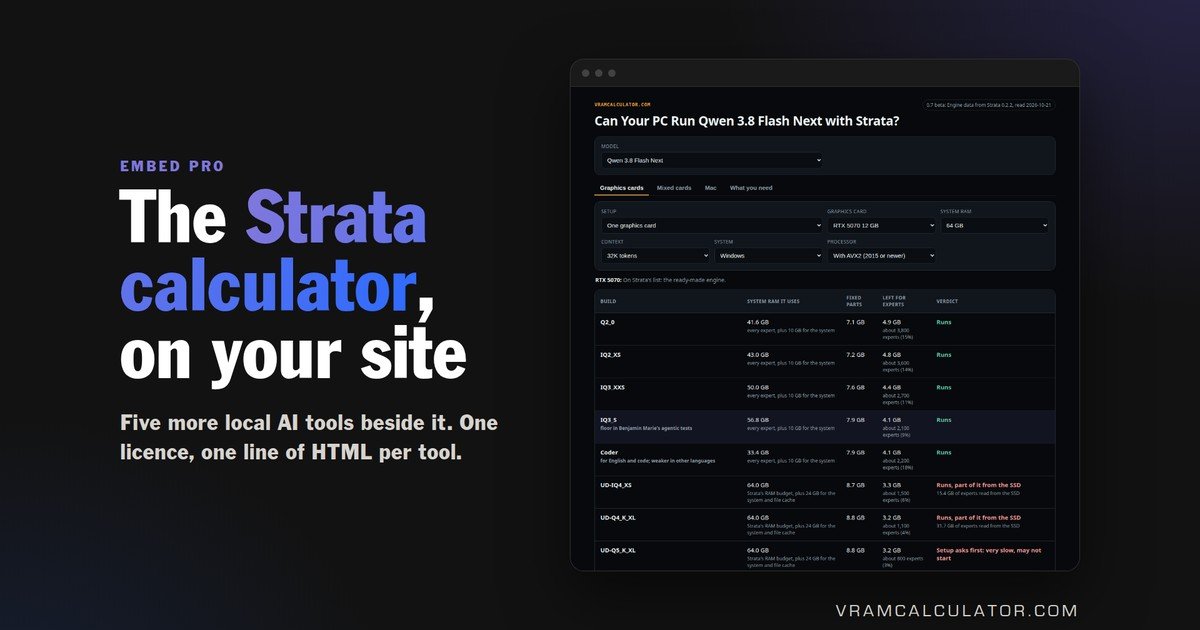
It answers what local AI buyers ask before they spend: can this PC run Qwen 3.8 Flash Next with Strata, on its GPU plus system RAM, and at how many tok/s. One licence puts it on your pages, with five more vramcalculator.com tools beside it.
One licence, all six tools. Pay 3 months in crypto and save 10%, or monthly by card.
data-tool="strata"One licence. Every tool.
Billed monthly by card through Whop.Paid upfront for 3 months, 10% less than monthly. It does not renew by itself: we email you a payment link before it ends.
Pro
Every tool, on your domain
- Strata, Project Maya, GPU checker, VRAM calculator, Mac checker and speed estimator
- Embed any of them, on as many pages as you like
- Your domain, plus its www and staging subdomains
- No “Powered by” line, so it reads as part of your site
- The JSON API, for the numbers in your own layout
- Every catalogue update reaches your pages on its own
Fleet
Several domains or brands
or email
Everything in Pro, plus
- A Pro key for every domain you run
- Models added on request
- Invoiced, not card billed
Add a tool to a page
One line, wherever you want the tool to appear. data-tool picks which one.
<script src="https://vramcalculator.labinvisible.com/embed.js"
        data-key="YOUR-LICENCE-KEY"
        data-tool="strata"
        async></script>
Replace YOUR-LICENCE-KEY with the key we email you. That is all
the setup there is. The tool sizes itself, so you never have to guess a
height that turns out wrong on phones.
WordPress with Elementor: add an HTML widget and paste it in. WordPress without Elementor: a Custom HTML block. Shopify: paste it into the template where you want it to show. Anything else: it is a plain script tag and it goes in the page body.
The six tools
Use the name or its number. data-tool="1" and data-tool="strata" load the same tool.
1  strata        Can this PC run Qwen 3.8 Flash Next with Strata, and how fast
2  maya          Project Maya: GLM 5.3 Flash and DeepSeek V4.1 Flash 1017 on VRAM, RAM and SSD
3  gpu-checker   Which AI models fit this GPU
4  calculator    VRAM calculator: any model, any context, any card
5  mac-checker   Which AI models fit this Mac
6  speed         Tokens per second on a given machine
Put a different tool on each page, or several on one page: each line is its own tool. Leave data-tool out and the GPU checker loads.
Preset the card on a GPU product page
With the GPU checker, data-gpu opens it already answering for the card on that page.
data-tool="gpu-checker" data-gpu="RTX 5090"
data-tool="gpu-checker" data-gpu="RX 7900 XTX"
data-tool="gpu-checker" data-gpu="RTX PRO 6000 Blackwell 96GB"
A customer sees what the card in front of them runs, rather than a dropdown
they have to operate. Partial names work: data-gpu="4090" finds the RTX 4090.
Where your licence key is
It arrives by email after your payment, within one working day. It looks like VCP-XXXXX-XXXXX-XXXXX-XXXXX, and one key runs every tool on your domain.
It is not secret in the way a password is, but it is tied to your domain and can be revoked, so do not publish it outside your own site.
If you see a message instead of the tool
The tool always says what is wrong rather than showing an empty box.
"This embed is not licensed for this site"
The data-key is missing, mistyped or revoked, or the page is on a domain the key was not issued for. Reply to your key email with the new domain and we send you a key for it.
"Unknown tool"
data-tool does not match a name or number in the list above.
"This widget needs its full height to answer"
Something on your page is constraining the frame. Remove any fixed height or
overflow: hidden on the container around it. The supplied snippet handles
sizing on its own.
What it costs your page
37 to 81 KB per tool, compressed, loaded lazily, so it does not block anything and does not download at all until a visitor scrolls near it.
Your page's styling cannot break it and it cannot break your page. Each tool runs in its own frame, so your theme's CSS and its CSS never meet.
The JSON API, included in Pro
One call, one answer, for putting the numbers inside your own interface. Call it from JavaScript on your own site. The key is bound to your domain and checked on every call.
GET https://vramcalculator.labinvisible.com/v1/calculate
      ?key=YOUR-LICENCE-KEY
      &model=qwen38-27b
      &quant=q4_k_m
      &context=32768
      &gpus=1
Returns total memory in GiB with the weights, KV cache and overhead split out, plus the smallest cards that fit.
{
  "memory_gib": { "total": 19.19, "weights": 15.93, "kv_cache": 2.15, "overhead": 1.11 },
  "smallest_gpus_that_fit": [
    { "name": "RTX 3090", "vram_gb": 24, "vendor": "NVIDIA" }
  ]
}
Why the numbers hold up. Weights are the real published file size wherever one exists, not an estimate. The KV cache is computed from each model's own attention geometry, taken from the lab's configuration file.