Strata Calculator: Can Your PC Run It?
Minimum: our estimate of the least card and RAM that run this quant at this context. Recommended: Strata's own pick, from its README and installer. Estimates; no speed is implied.
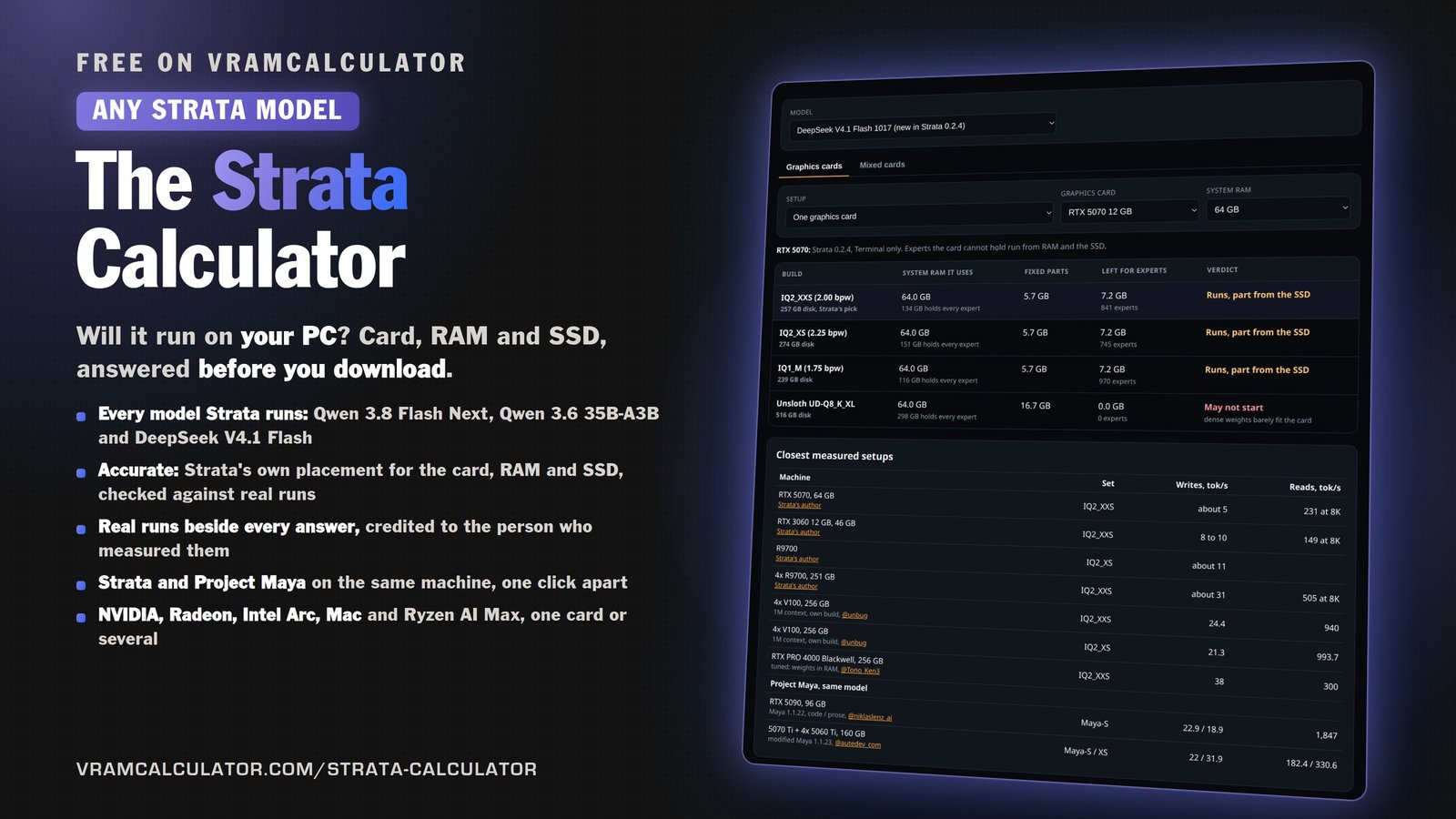
| Build | System RAM it uses | Fixed parts | Left for experts | Verdict |
|---|
Model and file sizes are decimal GB. A card's label is read as GiB, so a 12 GB card is 12.9 decimal GB of memory.
Running a model fully in memory with llama.cpp, MLX or LM Studio instead? The Mac Checker sizes every model in our catalogue for your Mac.
New to Strata? The engine guide covers the download arithmetic, every build and the 0.2.10 changes.
Closest measured setups
How this is calculated (0.8 beta)
This is the 0.8 beta. It covers Macs (Strata's Metal engine, new and experimental in Strata 0.1.44, which runs Gyro from 0.2.2), unified memory (a machine whose GPU and CPU share one pool: an NVIDIA DGX Spark, and the AMD Ryzen AI Max family), mixed cards (a layer split across cards of different sizes or generations, or an expert peer that holds only experts) and Strata 0.2.2's Main / Helper / Off role for every card.
It tracks Strata 0.2.10 (Control 0.1.56; Qwen and DeepSeek engine packages 0.1.56; read 2026-11-03): the ladder is 15 builds, and every build's download, RAM and arena figure was re-read at setup.py, its memory tiers and the README sizes table at the v0.2.10 tag and found identical to the 0.2.0-beta stamp. 0.2.10 keeps your context and your number of requests when a start is short of graphics memory and moves work off the card instead, and it starts Qwen 3.8 Flash Next at 128K on 8 GB discrete cards; the DeepSeek view also carries the ISTA-DAS Coder. The card roles are Strata's own rule (strata_control/gpu_roles.py): the best card starts as Main, the others as Helpers, and a card of 8 GB or less starts Off when a bigger card is there (since 0.2.3, two 8 GB cards are both used). Main runs the last stage: the output head, the draft layer and the final check of every window. The engine takes the cards in stage order, so Main is last, and the draft layer is charged to Main here. When two cards are the same model and size, Strata puts the higher card number on Main. Strata picks Main by SMs times max clock, which no catalogue row carries, so this page uses the same fallback Strata uses when speeds are unknown: the card with the most memory, and the higher number for identical cards. A role can be changed in the app and in strata launch --gpu-roles.
Gyro runs on Intel Arc since 0.2.2 (tested on an A750 only) and on Apple Silicon Macs. On a Mac it is never the default: Gyro-S is 58.5 GB on disk and its weights need about 38 GB to stay in memory, so a 48 GB Mac holds it and a 32 GB Mac streams the experts (measured on a 32 GB M4: 9.1 tokens a second, 109 reading a 4K prompt). Gyro-M needs about 71 GB, so a 96 GB Mac holds it; it has not been measured on a Mac.
Strata 0.2.2 also shrinks a start that is a little too big instead of refusing it: on an Intel Arc, setup and strata launch try a 32K, 16K and 8K context, a 1024-token prompt chunk and a 100 MiB reserve, in that order, and keep anything the person chose. Where that applies, the verdict says which settings the check would pick, from the same arithmetic (strata_control/vram_fit.py). The app's own fit check is unchanged, and the NVIDIA and AMD paths do not run it.
Pictures are on by default. On one discrete NVIDIA or AMD card of 24 GB or more the GPU reader keeps 1,470 MiB and this calculator charges it to the card; under 24 GB the reader runs on the CPU and takes nothing. A Mac always gets the GPU reader whatever its memory, and its footprint (about 1.2 GB, mostly the 0.9 GB projector) sits inside the buffers already counted for the Mac. An Intel Arc gets the CPU reader, so nothing is charged there either. Splits, unified devices and the Qwen3.6 path are not charged: those paths have no measured figure yet.
On a Mac we apply Strata's own Mac rule (strata_control/mac_fit.py, 0.2.10). A resident IQ3_S or Q2_0 pack now runs --spec 3 --spec-min-p 0.5 with STRATA_METAL_F16=1 by default; neither changes the memory verdict. A pack stays in memory when the file the GPU maps and 8 GB beside it fit Metal's share: three quarters of the memory, and no more than 70% on a Mac with 64 GB or more. Otherwise the experts stream from the SSD, and the engine keeps the most-used ones in an arena by its own arithmetic. The default pack and context are Strata's: IQ3_S where it stays in memory, else IQ3_XXS, else Q2_0, at 32K below 96 GB and 64K from 96 GB. Below 16 GB Strata's app says no model fits.
Discrete cards and several of the same card are unchanged from the live tool: the same engine computes them, and a check proves the answers are identical. A mixed pair uses Strata's documented placement, each card keeping its own layers' dense weights and its own KV share, with the expert caches adding up. An expert peer is Strata's peer tier instead: card 1 runs every layer, and the peer only adds expert cache.
System RAM follows Strata's rule (docs/MODELS.md): the experts plus about 10 GB for the system and other programs. The RAM column always includes those 10 GB, and in low-RAM mode it drops the experts the cards already hold. Strata's suggested size counts RAM and VRAM together less the 5 GB the system keeps (0.2.2, #3425). AMD's RX 6000 series has its own engine package since 0.2.2, built and not run on a real RX 6000 card.
DeepSeek V4.1 Flash 1017 (Strata 0.2.10) uses Strata's own estimate, the one its setup prints before downloading. The context menu offers 8K to 1M; nothing past 256K has been tested, and the default is 8K. It runs on NVIDIA Linux and Windows, AMD Linux and one AMD card on Windows, Windows on a Strix Halo APU, the DGX Spark and Apple silicon. UD-IQ1_S and UD-IQ1_M are offered where 0.2.10 offers them, and the ISTA-DAS Coder (192 of 384 experts, 191 GB from scratch, 24 GB of RAM) is the seventh set. Speeds are measured runs only.
Measured setups come from Strata's community reports and posts on X, each credited and linked. A run is a claim until it passes our checks; runs that fail are held, not shown. Speeds are measured only.
Read our measurements more often in Google: add VRAM Calculator as a preferred source.
Add vramcalculator.com on Google